Seesaw Learning AI Writing Assistant
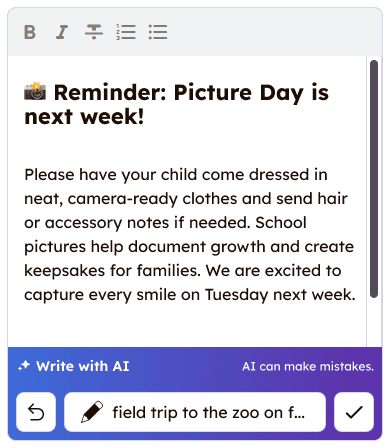
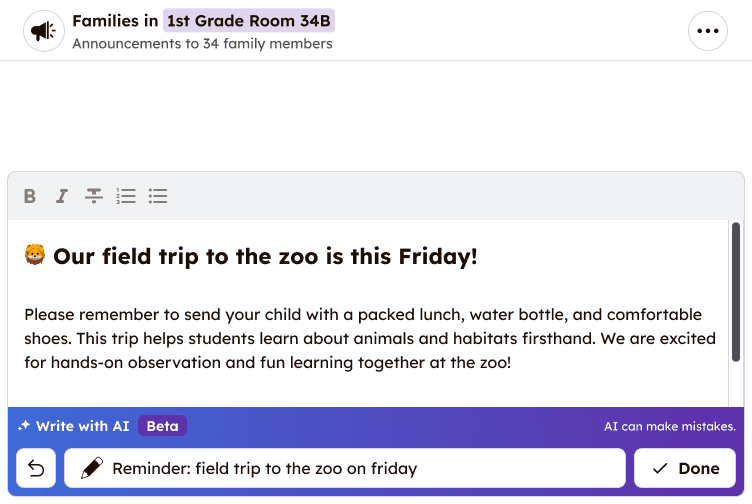
Designed AI writing assistant that helps teachers quickly draft professional, clear messages to family members.
My role
Designer User Researcher
What I did
User Research UI Design Data Analysis Prompt Evaluation
Timeline
2 months
Tools
Figma Amplitude
What is Seesaw?
Seesaw connects 25+ million teachers, administrators, students, and families to support each child's learning journey from PreK through 6th grade.
The problems
User problem
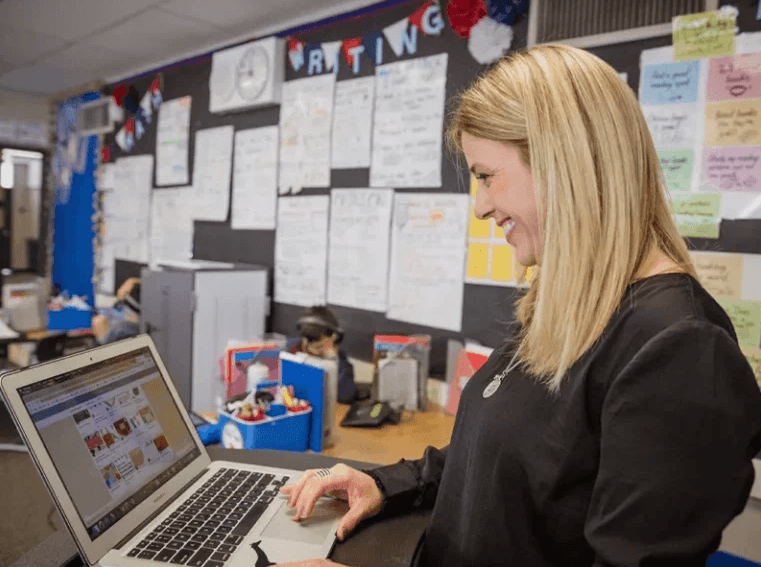
Teachers are time-constrained and often need to write clear, professional, and tactful messages to families. Many already rely on tools like ChatGPT, but this requires constant copy and pasting, adding friction to an already busy workflow.
Business problem
Competitive and market trends show that AI features are quickly becoming table stakes in edtech. Without them, Seesaw risks feeling outdated and falling behind user expectations.
Designing an AI feature
Designing AI features is similar to traditional UX—grounded in user needs and intuitive interfaces—but requires a few unique considerations.
- Guardrails over rules
AI output is non-deterministic, so I needed to design for broad use cases with strong guardrails instead of rigid rules. - Output length matters (a lot)
Longer responses increase user review time, while overly short ones can feel impersonal. Matching length to the use case is key to balancing speed and tone. - Trust is fragile
A single bad experience can quickly erode user trust. Extensive testing and iteration are essential.
Interaction patterns
Avoid nested chat
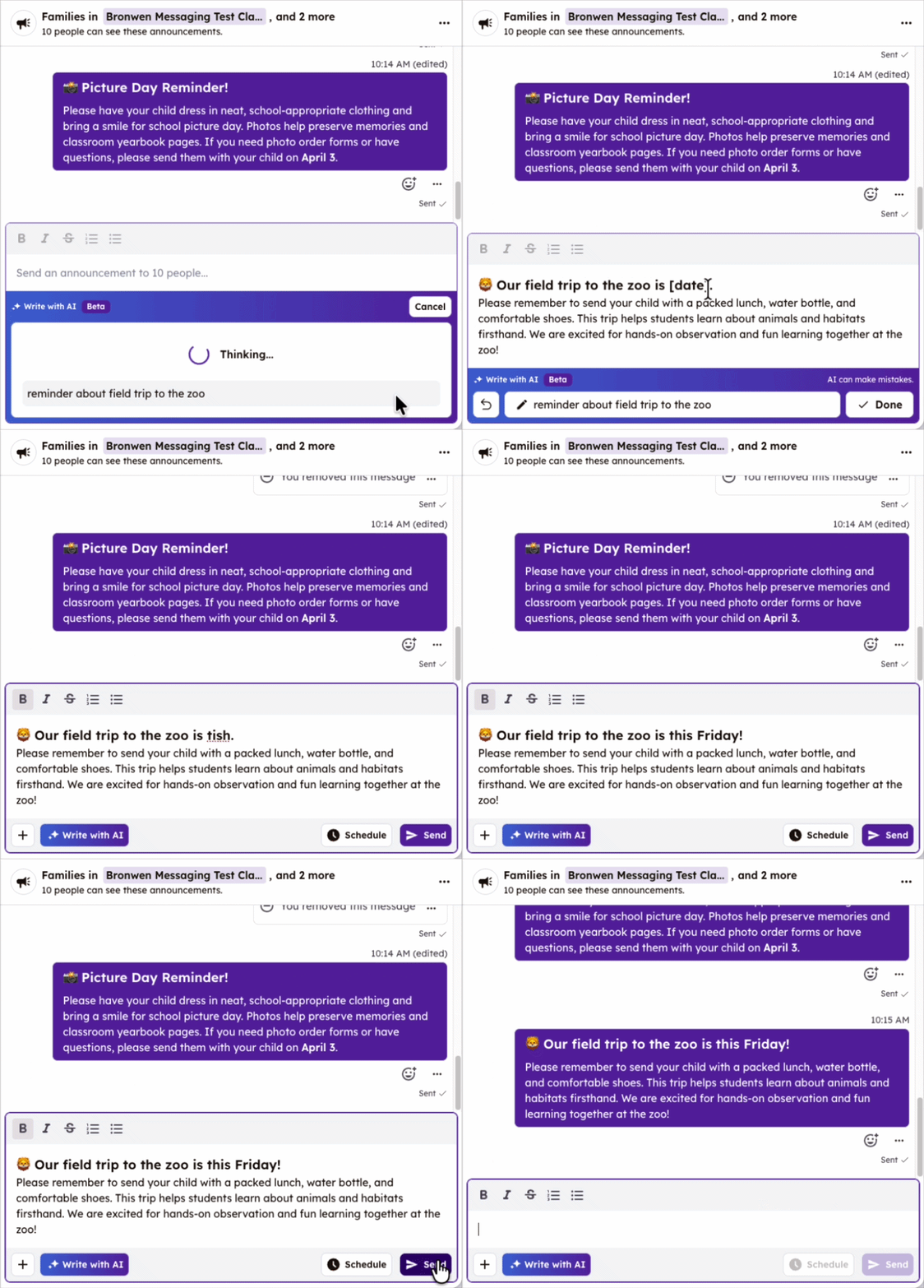
Because this feature lived within an existing chat, we avoided adding another chat UI. Early prototypes showed that a “chat within a chat” was confusing, so we used a simple prompt input with optional editing.
Prioritize easy editing
AI output is inserted directly into the main text field, where users can immediately edit. Usability testing confirmed that seamless editing is essential.
User feedback
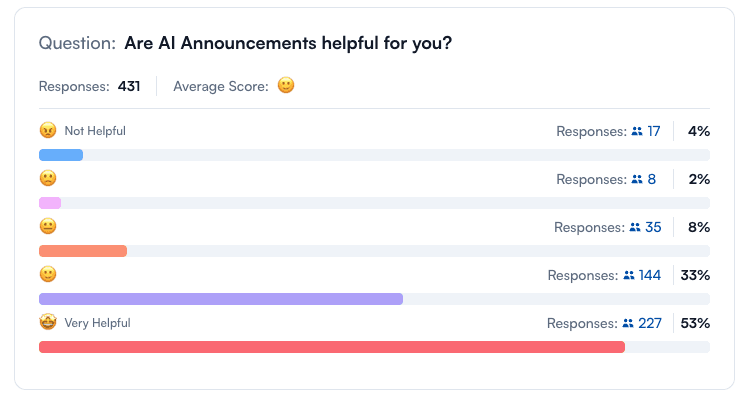
86% of in-product survey respondents rated the AI writing assistant as “helpful” or “very helpful.”
This suggests the feature is genuinely useful in helping teachers save time and improve their messages, while also highlighting opportunities to keep refining and improving the experience.
Final (for now) experience
“Love it! Makes it look more professional and saves me time and energy.”
Teacher in product survey response
“Helps me work faster, not harder.”
Teacher in product survey response
“Huge time saver.”
Teacher in product survey response
“I love being able to type fast and make my message sounds well thought out, detailed and caring. Especially when I'm tired!”
Teacher in product survey response
“Love it! Makes it look more professional and saves me time and energy.”
Teacher in product survey response
“Helps me work faster, not harder.”
Teacher in product survey response
“Huge time saver.”
Teacher in product survey response
“I love being able to type fast and make my message sounds well thought out, detailed and caring. Especially when I'm tired!”
Teacher in product survey response